Add to Chrome - free or get Pro
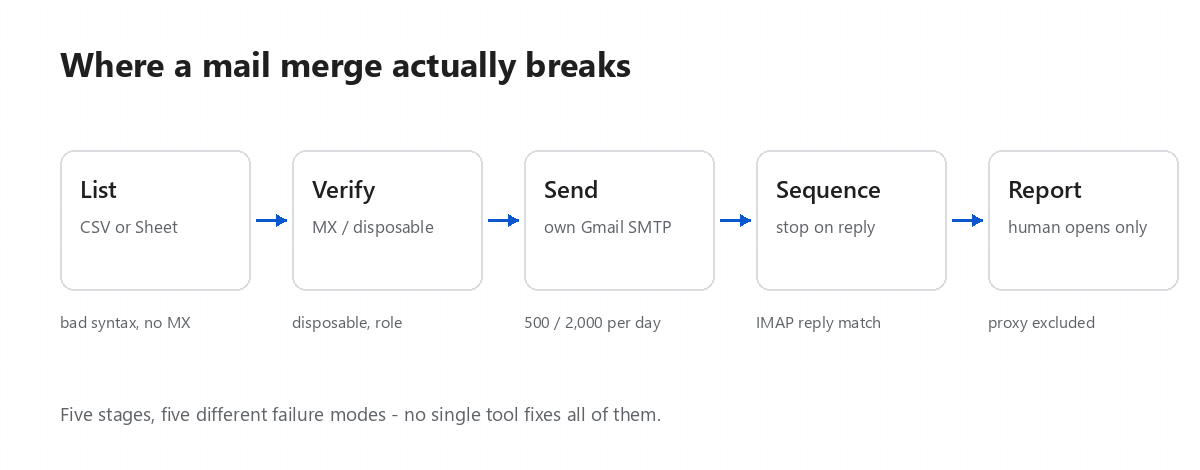
Mail merge in Gmail sounds trivial until the list passes a few hundred people. Then deliverability, personalisation errors and Gmail's own sending ceiling all arrive at once. This is a map of the four ways people actually do it, and what breaks in each.
Put everyone in BCC, write one message, hit send. It works, and for a team update to a dozen people it is the right answer.
It stops being the right answer the moment the message is commercial:
The classic approach: a Sheet with columns for email, first name, company; an Apps Script that
calls GmailApp.sendEmail() in a loop. It is free, it is yours, and it personalises
properly.
What bites:
Extensions like GMass, Mailmeteor, Mailtrack and Streak add a panel inside Gmail and handle merge, sequences and tracking. This is the category OutReach Pilot belongs to, so treat the rest of this section with the appropriate suspicion.
What actually differs between them is not the feature list — they all merge and track. It is:
| Question | Why it matters |
|---|---|
| Does it send from my mailbox, or relay through theirs? | Shared relays change your sending reputation and hide the real bounce reason. |
| Where does the recipient list live? | A vendor cloud means your list is now someone else's data-processing problem. |
| How does it count an open? | Every image load, or only a human one? This is where most dashboards quietly inflate by 30-40%. |
| What stops a sequence? | Open, click, reply, unsubscribe — and does the stop actually fire before the next step is queued? |
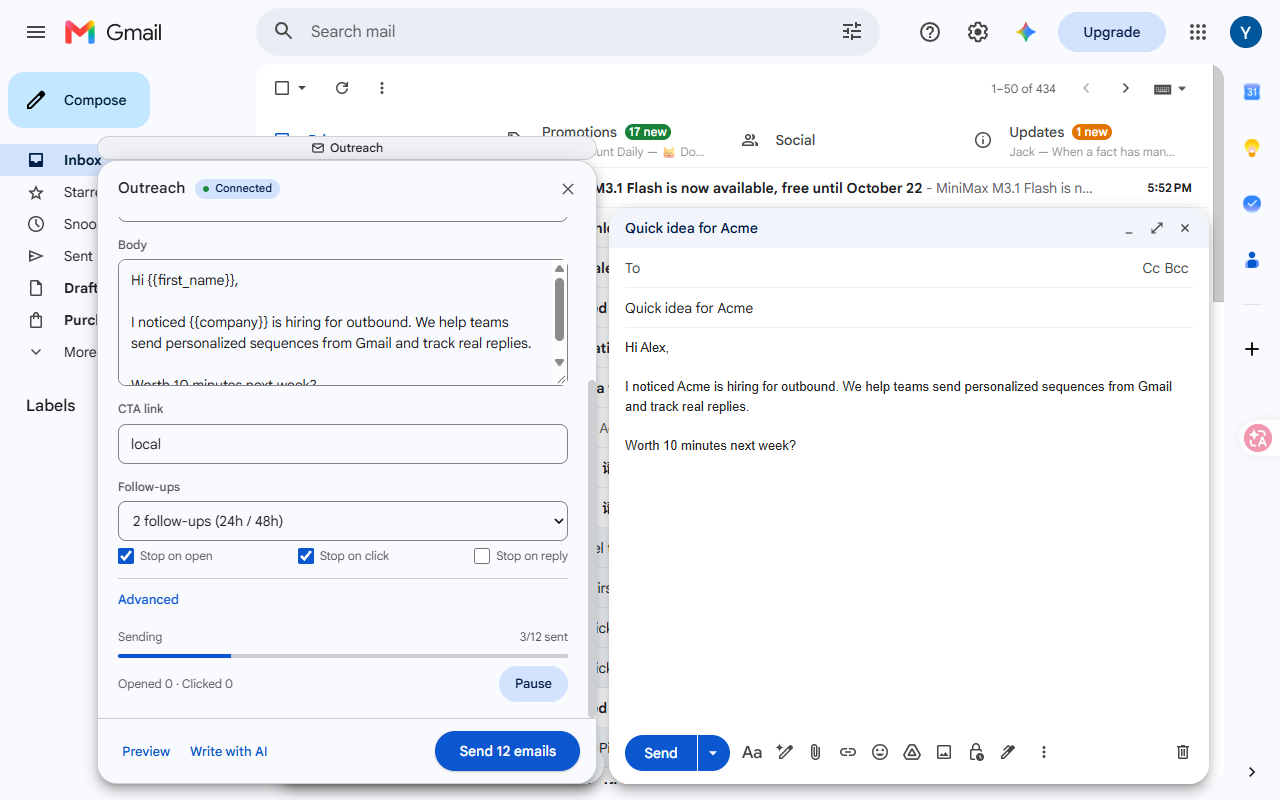
This is the setup OutReach Pilot implements, and it is worth understanding the mechanism even if you use something else: Gmail accepts authenticated SMTP from an app password. That means a tool can send as you, from your own account, without OAuth review and without a relay — while the recipient list stays on your machine.
The trade-off is explicit: Gmail's ceiling applies (500 recipients/day on @gmail.com, 2,000 on Workspace), and you have to create an app password once. In exchange, deliverability is your own reputation rather than a shared pool's, and the data never leaves.
If you are choosing a tool: the honest comparison is not features, it is how each one counts an open and where your data lives. We published our own side-by-sides, including the places where the competitors are better.
Written by the maker of OutReach Pilot, a Gmail mail merge and sequence tool that runs on your own machine. Numbers quoted are Gmail's published limits as of October 2026 and change without notice.
Two or three emails a year. One-click unsubscribe that works.